Obsidian-Ready vs AI-Ready Markdown: Which Output Should You Use?
A practical guide to choosing Obsidian-ready, AI-ready, or plain Markdown after converting a PDF or scan on iPhone.
Try CleanMD: PDF to Markdown on iPhone
Import a PDF, scan, screenshot, or document image, then preview clean Markdown before you export it.
Markdown is not one single workflow. The same converted document can be used as a personal note, a writing draft, an AI prompt, a research excerpt, or a lightweight archive. Each destination benefits from a slightly different shape.
That is why the output format matters. A PDF-to-Markdown app should not only extract text; it should help you choose the structure that fits what you will do next.
CleanMD keeps the choice simple: Obsidian-ready Markdown for note systems, AI-ready Markdown for prompt and analysis workflows, and plain Markdown when you want the cleanest possible text.
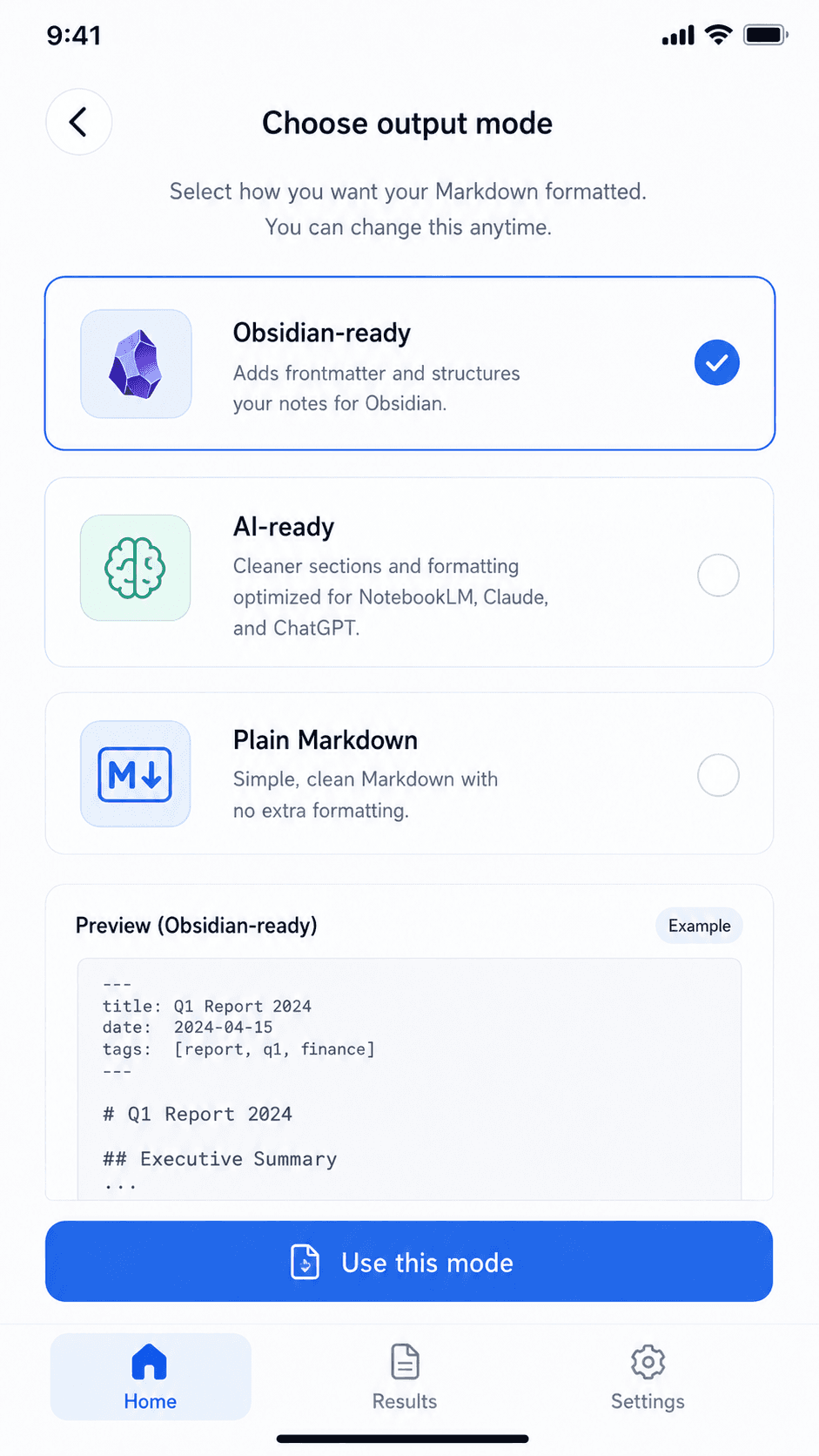
Use Obsidian-Ready Markdown for Notes
Obsidian-ready Markdown is useful when the converted document is going into a note library. This kind of output can include note-friendly structure, such as frontmatter-style context and headings that make the file easier to browse later.
The point is not to pretend every source document becomes a perfect knowledge-base note. The point is to reduce cleanup before the content lands in a Markdown-first workspace.
If you use Obsidian, a folder of `.md` files, or another Markdown note setup, this output mode is usually the best starting point.
Use AI-Ready Markdown for Prompts and Review
AI-ready Markdown is better when you want a document to become input for an AI tool. In that case, the structure should be readable, direct, and easy to paste into a chat, notebook, or summarization workflow.
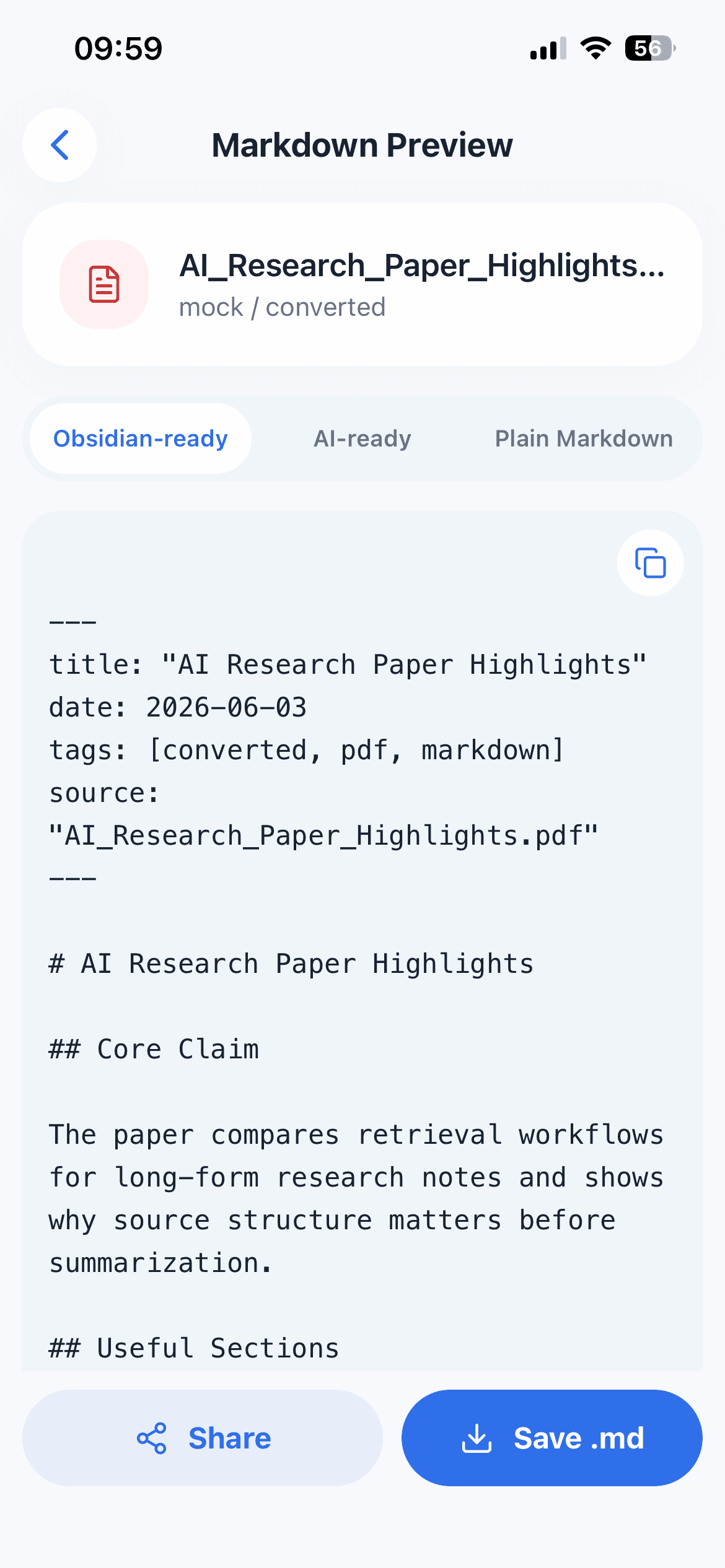
The most useful output is often not the most decorative one. Clear sections, readable paragraphs, and light formatting make it easier to ask follow-up questions or request a summary.
Use this mode when the next step is analysis, rewriting, extracting action items, or asking a model to compare information from multiple documents.
Use Plain Markdown When You Want Less
Sometimes the right output is the simplest one. Plain Markdown is useful when you do not want extra note metadata, destination-specific structure, or mode-specific formatting.
This works well for quick copying, simple archives, or documents that already have enough structure after conversion.
Plain Markdown is also a good fallback when you are not sure where the text will go yet.
Preview Before You Export
Document conversion can be imperfect. Headings, tables, line breaks, and scanned text may need a quick check before you move the result into another tool.
Previewing the Markdown first helps you catch obvious problems. You can choose a mode, inspect the result, and decide whether it is ready for notes, AI work, or a plain text handoff.
That preview step matters more than a long list of formatting options. It keeps the workflow practical on iPhone.
The Short Version
Choose Obsidian-ready Markdown when the destination is a note system. Choose AI-ready Markdown when the destination is a prompt, summary, or analysis workflow. Choose plain Markdown when you want clean reusable text with minimal formatting.
CleanMD does not try to turn every document into a complex project. It gives you a focused choice before export, so the Markdown fits the next step.