Markdown Conversion History vs Files: How to Organize Results on iPhone
Compare local conversion history with saved Markdown files and build a clearer iPhone workflow for temporary and durable results.
Try CleanMD: PDF to Markdown on iPhone
Import a PDF, scan, screenshot, or document image, then preview clean Markdown before you export it.
Converting a PDF or scan into Markdown is only useful if you can find the result again. A quick document conversion can turn into a messy workflow when every output is copied once, pasted somewhere else, and then lost.
That is why a good iPhone document-to-Markdown workflow should think about what happens after conversion. The result needs a clear place to live, enough context to recognize it later, and a simple way to move it into the next tool.
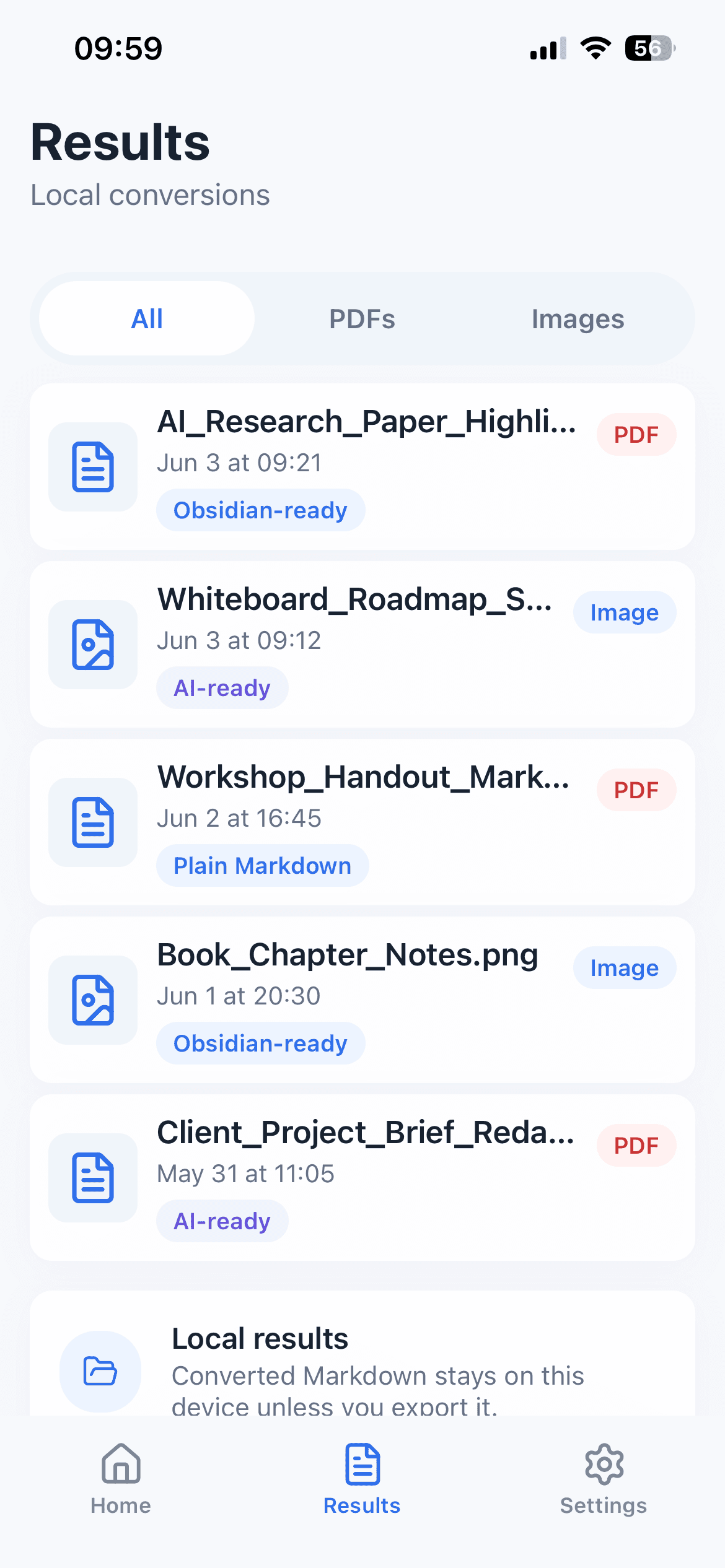
CleanMD keeps this part small on purpose. It can show recent conversion results on your device when local history is enabled, so everyday PDFs, scans, screenshots, and document images are easier to revisit before you export or clear them.
Why Converted Results Need a Home
Many document workflows start with a temporary file: a class handout, a meeting photo, a screenshot, or a short PDF someone sent in chat. You may only need the content for a note, a prompt, or a writing draft.
If the converted Markdown disappears immediately, you have to repeat the same import and conversion step when you want to check it again. That adds friction, especially on a phone where switching between Files, Photos, notes, and chat apps already takes attention.
A lightweight result list solves a practical problem: it lets you recognize the recent document, reopen the Markdown, and decide what to do next.
What Local History Is Good For
Local history is most useful for short-term continuity. You can convert a document, review it later, compare a few recent outputs, or return to a Markdown result before copying it into a note app.
It is not meant to replace a full knowledge base. Your long-term notes should still live in the place you actually use for writing, studying, research, or AI work. CleanMD is the bridge between the original document and that destination.
This distinction keeps the app focused. The conversion result stays close enough to be useful, but the app does not try to become your entire document manager.
Local History vs Saved Markdown Files
Local history and saved files solve different problems. Local history is a short-term recovery layer: reopen a recent result, check the output again, or finish an export you postponed. A saved `.md` file is a long-term artifact that you can name, move, back up, and manage with the rest of your notes.
Use local history when the next action is still undecided. Save a Markdown file when the content has a durable home. Copy or share when the result is immediately continuing into another app.
This split prevents a conversion history from becoming an accidental archive. It also reduces the chance that an important note remains trapped in a temporary result list.
A Simple Way to Keep Results Understandable
When you convert documents on iPhone, keep the next step in mind. If a result is important, save or share it into your real note system. If it is temporary, use the local result only as a short holding place.
It also helps to check the source name before exporting. A result from a scanned whiteboard, a research PDF, and a screenshot of a form may all need different destinations. Keeping the workflow intentional reduces duplicate notes and forgotten fragments.
The goal is not to organize everything inside the conversion app. The goal is to avoid losing useful Markdown before it reaches the right place.
When to Clear Local Results
Local history should stay under your control. If you use it for temporary documents, clear old results when they are no longer useful.
This is especially important for documents that contain personal, financial, medical, legal, or confidential information. CleanMD does not claim that conversion happens entirely on device; selected files are uploaded to a third-party document processing service when you choose to convert them.
For non-sensitive everyday files, local history can make the workflow feel calmer: convert, check, export, and move on.
A Weekly Cleanup Rule
A simple review can keep the list useful. Reopen anything you still need, export important results, and clear temporary items that no longer serve a purpose. If a result contains information you should not retain on the phone, remove it as soon as the handoff is complete.
CleanMD has no cloud document library, so clearing local history affects the copies stored by the app. Files you deliberately saved or shared to another destination follow the storage rules of that destination.
The Short Version
If you convert documents into Markdown on iPhone, think beyond the conversion button. A useful workflow gives the result a temporary home, makes it easy to recognize, and helps you send it to the tool where it belongs.
CleanMD supports that small handoff: recent Markdown results when local history is enabled, preview before export, and a focused path from document to reusable text.