Local-First Baby Tracking With Optional AI: What Parents Control
Learn what stays local in BabyTracker, what optional AI can process, when consent is required, and what parents review and control.
Try BabyTracker: Words & Food on iPhone
Keep core records local and choose when optional AI may use a relevant summary, question, or separately confirmed photo.
Baby records can include personal family details: a child's nickname, dates, first words, meal photos, food responses, and notes about everyday routines. Before adding AI to that journal, parents should be able to understand what stays on the iPhone, what is sent for processing, and which actions remain under their control.
BabyTracker uses a local-first model for the source journal and makes AI optional. Language records, food records, profile details, settings, and conversation history are stored on the device by default. No parent or child account and no cloud-sync account are required for core recording.
Optional AI changes only the minimum data flow needed for a selected feature. It does not turn the local journal into an automatic cloud backup.
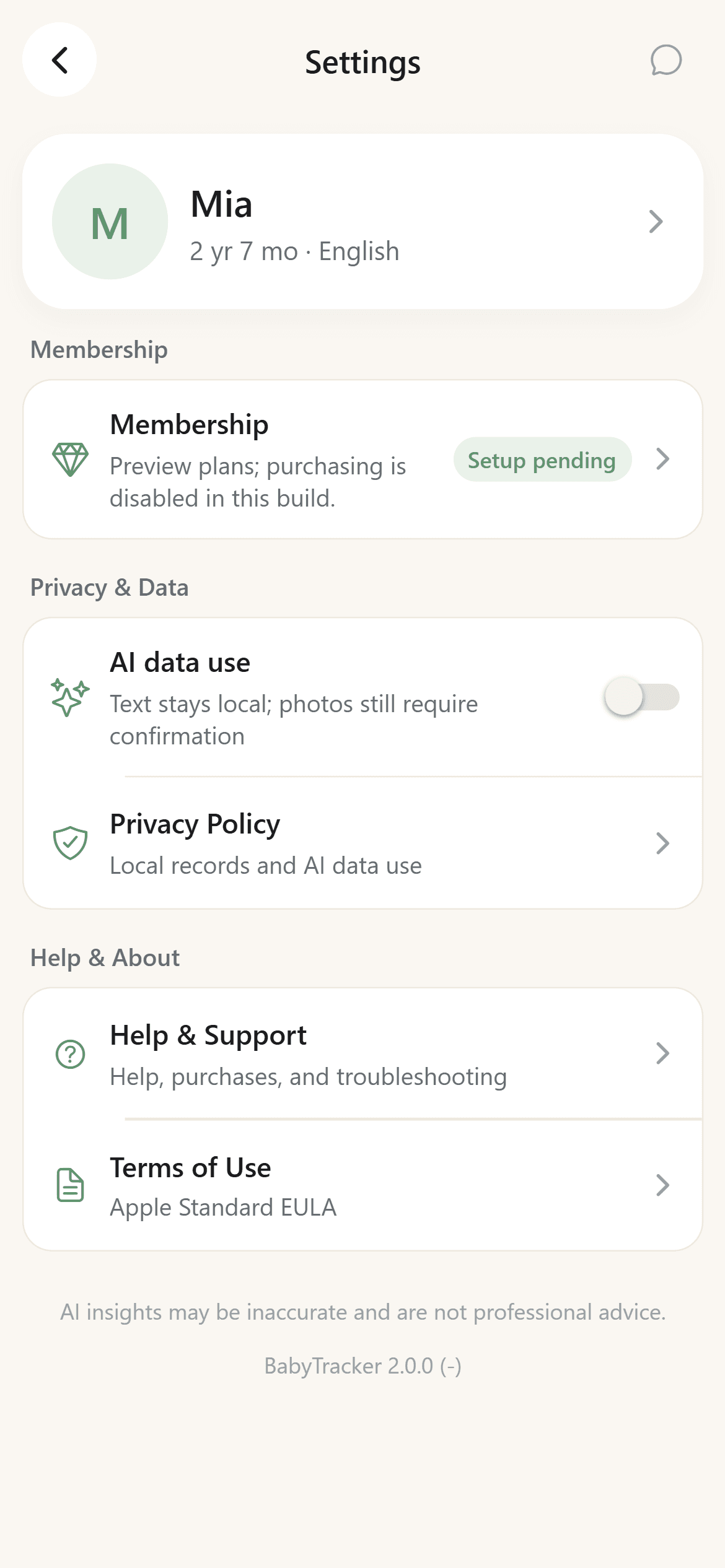
Core Records Stay Local by Default
Parents can create, edit, search, filter, favorite, and delete language records without enabling AI. Food records and the lightweight baby profile are also stored locally.
Local-first has a tradeoff: because the app does not provide cloud sync, uninstalling the app or losing the device can remove local records according to iOS storage behavior. Parents should not assume the journal is backed up to an online account.
AI Data Use Requires Consent
When AI data use is off, the app does not send text records for AI analysis. A food photo still requires a separate direct selection and confirmation before it can be processed.
After a parent enables AI data use, BabyTracker may use limited information in three ways:
- A compact relevant summary for the once-daily Today insight when the Today page is opened.
- The minimum relevant record summary and the parent's question for a Words AI, Food AI, or Growth AI conversation.
- A food photo the parent explicitly selects and separately confirms for recognition.
The app does not upload the full local record library for cloud sync.
Each AI Context Has a Boundary
Words AI receives the language context needed for a vocabulary question. Food AI receives the relevant confirmed meal context. Growth AI can use the relevant combined summary when a parent asks about patterns across words and food.
Keeping those contexts separate reduces unnecessary data sharing and makes answers easier to review. A food question should not silently pull unrelated word records, and a vocabulary question should not require a meal photo.
AI Output Is Not Automatically Saved as Fact
AI can be incomplete, inaccurate, or overly confident. It may miss context in a word record, misidentify a food, or suggest an idea that does not suit the family.
The safe workflow is review before trust:
- Check summaries against the original records.
- Edit food-recognition drafts before saving.
- Correct missing or guessed ingredients.
- Ignore suggestions that do not match the family's context.
- Do not use the output for medical, developmental, nutrition-treatment, allergy, or emergency decisions.
AI conversations remain reference material. They do not automatically rewrite the local journal.
No Account Does Not Mean No Service Metadata
BabyTracker creates a random installation identifier to protect AI usage limits and associate subscription entitlement without creating a parent or child account. Limited quota and entitlement metadata may be processed for those functions.
Apple processes subscription purchases, while RevenueCat is used to synchronize entitlement status. The app does not receive full payment-card details.
This service metadata is different from uploading the family's full word and food journal for cloud storage.
Parents Keep the Final Controls
Parents choose whether to enable AI data use, whether to start a chat, whether to select a food photo, what to edit in a draft, and whether to save a record.
Individual language and food records can be edited or deleted in the app. For questions about submitted feedback or server-side installation, entitlement, or quota metadata, parents can use the public support channel.
The Short Version
Local-first baby tracking means the source journal stays on the iPhone by default and core recording does not require an account or cloud sync. Optional AI uses only the relevant summary, question, or separately confirmed photo needed for the chosen feature.
BabyTracker keeps the parent responsible for consent, review, correction, and saving. AI supports observation; it does not become an automatic authority over a child's language, food, health, or development.