How to Keep a Baby Food Diary on iPhone
Keep a baby food diary on iPhone with confirmed meal photos, dish names, ingredients, preparation notes, response ratings, and local history.
Try BabyTracker: Words & Food on iPhone
Record a meal, review every field, and save only the parent-confirmed entry to the local food diary.
A baby food diary on iPhone can keep each meal in one reviewable record: the photo, dish name, ingredients, preparation, response rating, date, and a short parent note. The goal is a consistent family journal, not a medical or nutrition assessment.
BabyTracker lets a parent create and edit food records, then save confirmed entries to a local history. A photo can be attached for context, but the written details are what make the record useful later.
Decide What to Record for Every Meal
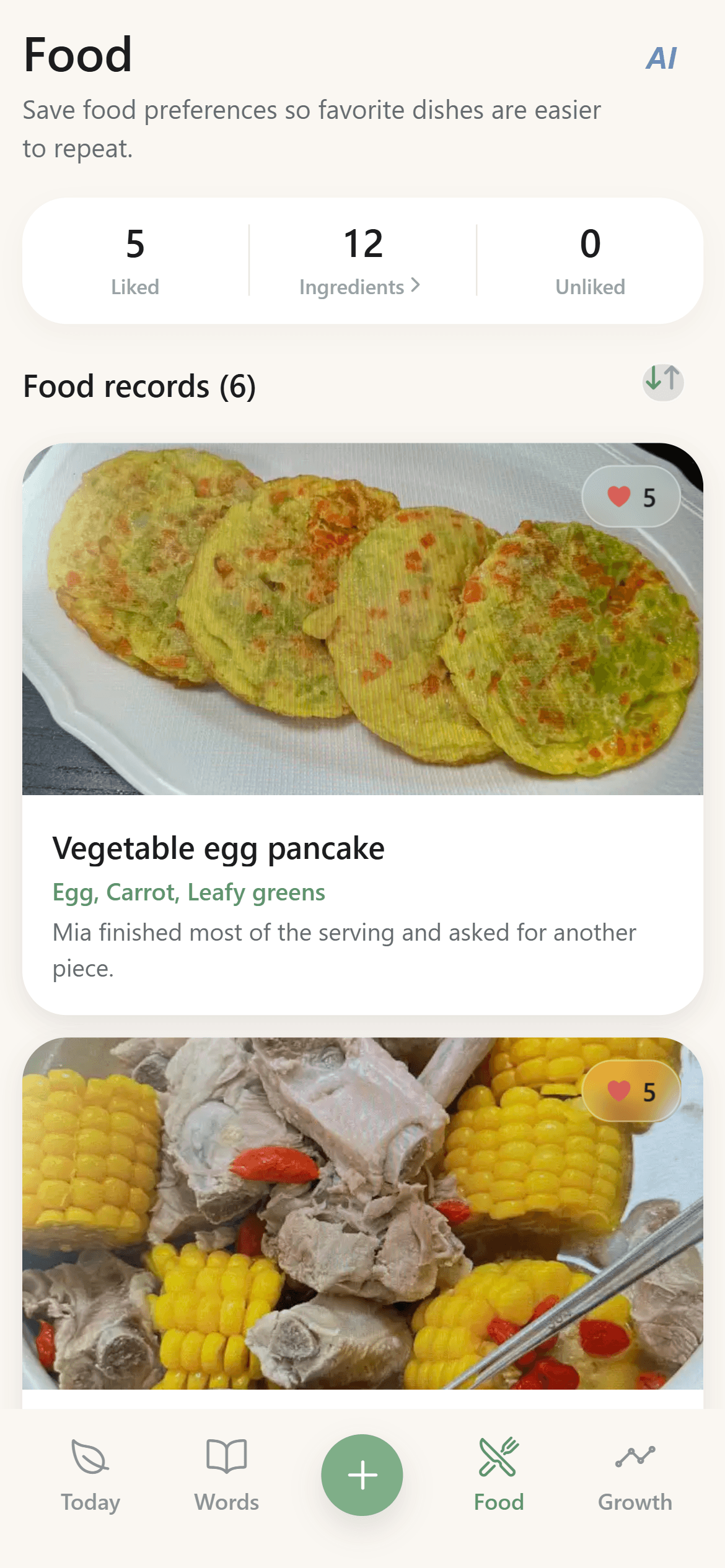
Use the same small set of fields each time. Record the dish name, the main ingredients you know, how the food was prepared, and a simple response rating. Add a short note only when it explains something the rating cannot show.
Useful notes describe observable context: the texture was new, the portion was small, the meal happened later than usual, or the baby tried only one part of a mixed dish. Avoid turning a single response into a conclusion about health, allergy, or nutrition.
Add a Photo Without Letting It Replace the Details
A meal photo makes the diary easier to scan and can help distinguish similar dishes. It cannot reliably reveal every ingredient, preparation step, portion, or the baby's response.
If an AI-assisted photo flow prepares a draft, review and edit every field before saving. Hidden ingredients and family context still require the parent's knowledge. The draft is a typing aid, not an automatic final record.
Keep Ingredient and Preparation Notes Separate
The same ingredient can appear in a puree, soup, pancake, or mixed meal. Recording both the ingredient and preparation prevents the diary from treating those meals as identical.
Use short, factual descriptions such as steamed and mashed, baked until soft, or mixed with rice. This makes later searches and comparisons more useful without claiming that preparation alone caused the recorded response.
Use a Consistent Response Rating
Choose a simple response rating and apply it consistently. The rating represents the parent's observation of that meal, not a diagnosis or a permanent preference.
When the rating feels incomplete, add one sentence of context. For example, note that the baby tasted the dish but stopped early, or accepted one ingredient while leaving another. Consistent ratings plus selective notes are easier to review than long paragraphs for every meal.
Review the Entry Before Saving
Before saving, confirm that the photo belongs to the meal, the dish name is recognizable, the ingredient list includes only what you know, and the preparation and response match what happened. Correct an AI suggestion or typing error instead of preserving it for convenience.
The saved entry becomes part of the local food history. Core recording does not require an account or cloud sync, so the parent remains responsible for the device and any backups they choose to make.
Build a Useful History Over Time
After several entries, the diary can answer practical record-based questions: which dishes were logged recently, which ingredients appeared in multiple meals, and which entries received similar parent-entered ratings.
Treat patterns as prompts to review the underlying meals. A journal reflects only what the family served and recorded. It should not be used to diagnose an allergy, judge nutritional adequacy, or replace qualified guidance for feeding concerns.
A Short Baby Food Diary Checklist
For each entry, capture the meal, list known ingredients, describe preparation, record the observed response, add only useful context, and review everything before saving. Keep language factual and leave uncertain details uncertain.
That simple routine creates a baby food diary that is easier to search and revisit while keeping every record parent-confirmed and grounded in what actually happened.