How to Log Taken and Skipped Doses on iPhone
Use taken and skipped states to keep a lightweight local medication record on iPhone, understand what the log means, and avoid unsafe assumptions.
Try Dose Reminder Lite on iPhone
Create personal medication reminders, mark doses as taken or skipped, and review recent records stored locally on your iPhone.
A reminder disappears quickly; a clear taken or skipped state makes the user's own action easier to review later.
What a Personal Dose Log Can Answer
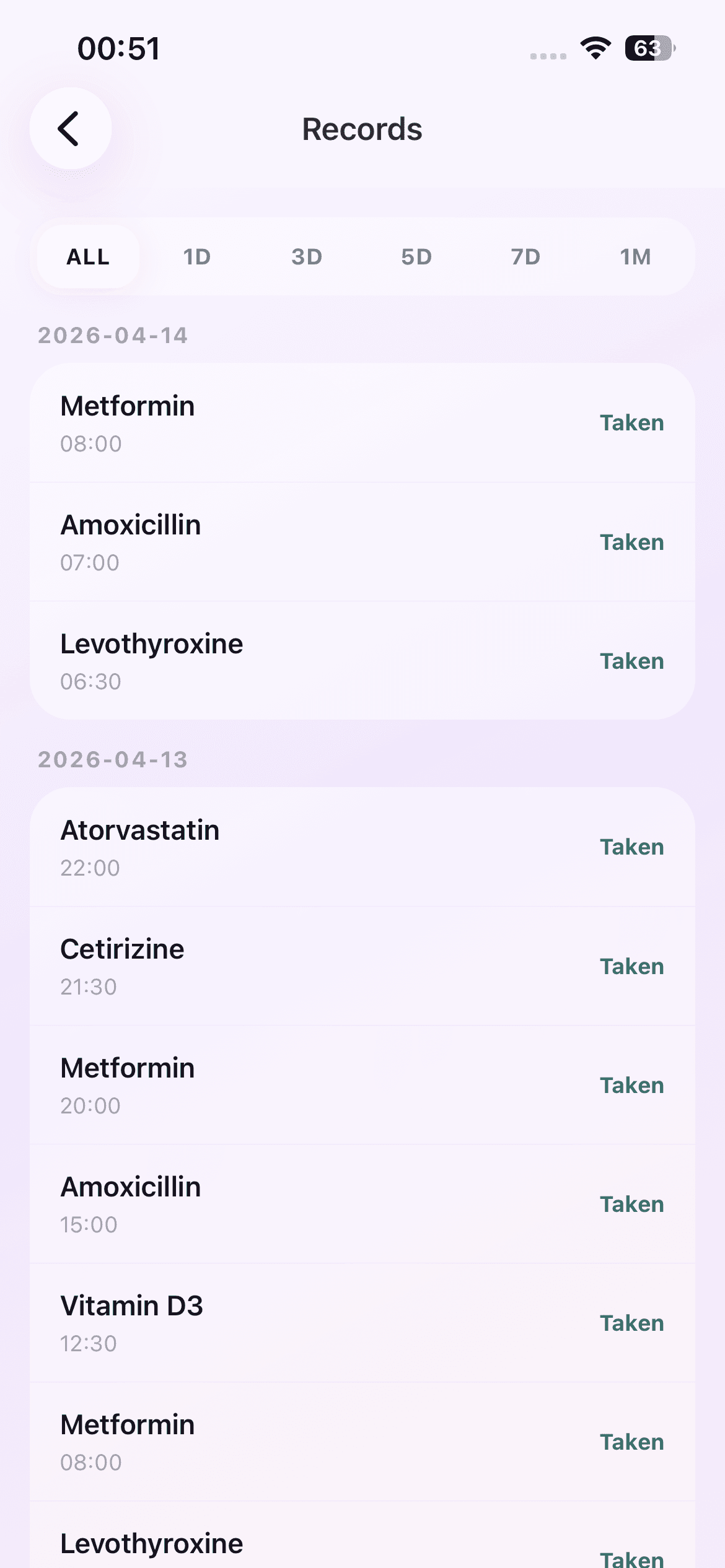
A local record can show which reminder was marked taken or skipped, at what scheduled time, and on which date. That can reduce uncertainty when you return to the app later in the day.
It cannot prove that medication was ingested, measure adherence clinically, or replace records required by a care provider. The log reflects actions entered in the app.
Mark Taken Only After the Action
Use Taken after the real-world action is complete. This keeps the status aligned with what happened rather than what was intended. If a tap was accidental and an undo option is available, correct it promptly.
Do not use the app to decide whether a dose should be taken. Follow the instructions from your clinician, pharmacist, prescription, or label.
Use Skip as a Record, Not Advice
Skip records that the reminder was not marked taken at that point. It does not tell you what to do next. A 15-minute remind-again option is simply another notification, not a recommendation to delay or change medication timing.
If you are unsure what to do after a missed or skipped dose, consult the appropriate professional instructions. Do not double a dose based on an app status.
Review the Records View
The Records screen groups recent entries by date and shows their status. Use it as a quick personal reference. Check the medication name and scheduled time rather than relying only on the order of the list.
Because the current version keeps records locally and has no account or cloud sync, the history is not automatically available on another device or to another person.
Protect Safety-Critical Decisions
Dose Reminder Lite does not diagnose, recommend treatment, calculate dosage, or check interactions. Notification delivery can also be affected by iPhone permission, Focus, battery, and system behavior, so a consumer reminder is not guaranteed to arrive.
For urgent symptoms, overdose concerns, missed-dose questions, or any uncertainty, use appropriate medical or emergency resources. The app is a convenience layer around an existing plan, not the plan itself.
A Record Review Checklist
When reviewing the log, match the date, medication name, scheduled time, and recorded state. Look for accidental taps or duplicate entries before drawing any personal conclusion. If the information needs to be shared with a professional, follow their preferred format rather than assuming an app screen is sufficient.
Keep the distinction clear: the record says what was marked in Dose Reminder Lite. It does not independently observe the medication, the dose, or the user's physical response.