How to Build a Simple Medication Reminder Routine on iPhone
Set up a focused iPhone medication reminder routine with clear due states, taken or skipped logging, and local records while respecting medical boundaries.
Try Dose Reminder Lite on iPhone
Create personal medication reminders, mark doses as taken or skipped, and review recent records stored locally on your iPhone.
The useful question in a daily medication routine is often not only 'when is the reminder?' but also 'did I already mark this one?'.
Start with Instructions You Already Have
Before creating any reminder, use the medication name, dose display, timing, and instructions provided by your clinician, pharmacist, prescription, or product label. A reminder app should reflect an existing plan; it should not invent or change one.
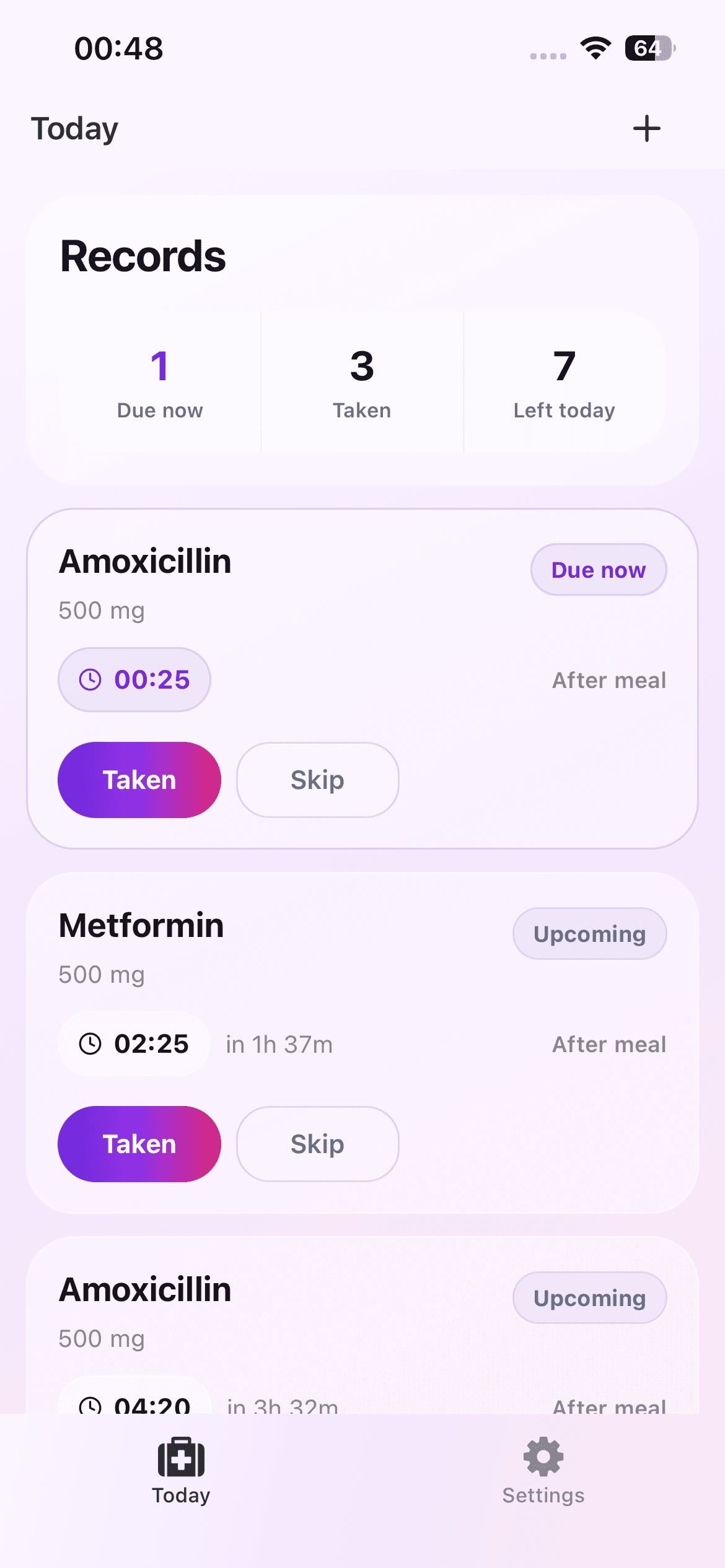
Dose Reminder Lite is a personal reminder and logging tool. It does not diagnose conditions, recommend treatment, calculate dosage, or check medication interactions.
Create a Clear Daily Entry
Add a recognizable medication name and an optional dose display such as the label wording you already follow. Choose one or more reminder times that match the established routine. Meal tags and notes are for display context only, not clinical guidance.
Keep entries concise. The Today screen is easiest to scan when each card immediately tells you what reminder is due and when.
Use the Today View as a Status Check
The Today view separates reminders that are due now, already marked taken, and still ahead. When a reminder becomes due, use Taken only after the real action has occurred. Use Skip when you intentionally choose not to mark it taken.
If you need another nudge, the skip flow can offer a 15-minute remind-again action. That is a convenience feature, not a recommendation about when a medication should be taken.
Review Records Without Over-Interpreting Them
Recent records can help answer whether an action was marked in the app. They are not a clinical adherence report, medical history, or proof that medication was physically taken.
Correct mistaken entries when the app provides an undo path, and keep professional or regulated records in the system recommended by your care provider.
Understand the Safety Boundary
Reminder delivery depends on iPhone notification permission and system behavior. Do not rely on any consumer reminder app as an emergency alert or guaranteed delivery system. For missed doses, side effects, uncertainty, or urgent concerns, follow the instructions from a qualified professional or seek appropriate medical help.
The current app stores medication schedules and dose records locally, with no account or cloud sync. That supports a private routine, but it also means the data is not automatically shared with a clinician or caregiver.
A Safe Setup Checklist
Compare every name, display dose, and reminder time with the instructions you already have. Confirm iPhone notification permission, keep the Today view free of outdated entries, and test that you understand Taken, Skip, Undo, and remind-again before relying on the interface during a busy day.
Write down where to obtain professional help for questions that the app cannot answer. A well-configured reminder routine includes both the convenience tool and the authoritative source of medical guidance.