Medication Reminder App vs iPhone Alarms: Which Fits a Daily Routine?
Compare a focused medication reminder app with ordinary iPhone alarms across context, status logging, privacy, setup, and safety limitations.
Try Dose Reminder Lite on iPhone
Create personal medication reminders, mark doses as taken or skipped, and review recent records stored locally on your iPhone.
A standard alarm can tell you that a time arrived, but it does not naturally show what was due or whether you already marked it.
When an Ordinary Alarm Is Enough
An iPhone alarm can work for a single, stable time when the label provides enough context and you do not need a separate status history. It is built into the phone, familiar, and quick to configure.
Its simplicity can also be a limitation. Dismissing an alarm does not necessarily mean the intended action occurred, and several medication-related alarms can become difficult to distinguish from wake-up or household alarms.
What a Focused Reminder App Adds
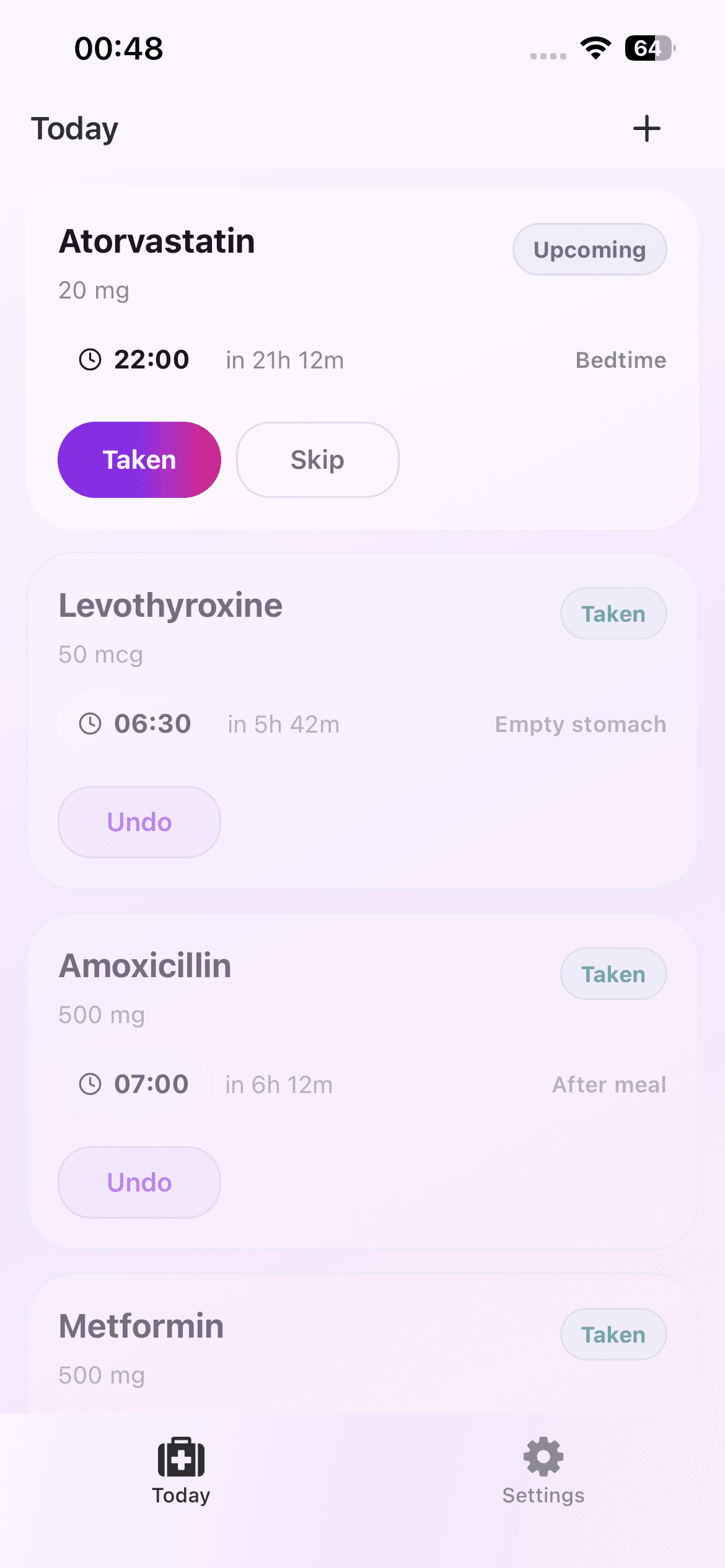
Dose Reminder Lite groups medication reminders in a Today view, shows due and upcoming states, and lets you mark an item taken or skipped. A Records view keeps a lightweight local history of those app actions.
It can also attach multiple daily times to one medication entry and display optional context. Those features help organization, but they do not make the app a source of medical advice.
Compare the Setup Cost
An alarm usually needs a time and label. A medication reminder entry can include a name, optional dose display, one or more times, a meal tag, and notes. The extra fields are worthwhile only when they improve clarity.
Choose the smallest system that you will maintain accurately. A detailed reminder app with stale entries is less useful than a simple alarm that reflects the current plan.
Compare Privacy and Portability
Dose Reminder Lite stores schedules and records locally, with no account or cloud sync in the current version. That limits server exposure but also means the data is not automatically shared or synchronized across devices.
Standard alarms are also device features, but they do not provide the same app-specific record view. Decide whether the local status history is useful enough to justify a separate tool.
The Same Safety Boundary Applies
Neither an alarm nor a reminder app should decide dosage, timing changes, interactions, or what to do after a missed dose. Follow professional or label instructions. Consumer notifications can fail or be silenced and are not emergency guarantees.
The right choice is the one that clearly supports an established routine without creating false confidence. For medical questions or urgent concerns, use qualified medical resources rather than either interface.
A Practical Choice Checklist
Choose an ordinary alarm when one label and one time are enough. Choose a focused reminder app when separate medication context, multiple daily times, taken or skipped states, and a local activity view genuinely reduce uncertainty. Avoid running both systems for the same action unless the duplication has a clear purpose.
Whichever interface you choose, review it whenever the established routine changes. Accuracy and maintenance matter more than the number of features on the screen.