How to Build an Exam and Deadline Countdown on iPhone
Turn an exam date or project deadline into a visible iPhone countdown, then use one local reminder to trigger the right preparation step.
Try Date Countdown Lite on iPhone
Create an important date, see the number of days remaining, and optionally schedule a local reminder on your iPhone.
A deadline is more useful as '18 days left' than as a small square near the end of a calendar month.
Turn the Date into a Planning Signal
The date alone tells you when something ends. A countdown adds the distance between now and that endpoint. That distance is what helps you decide whether to begin, revise, or accelerate.
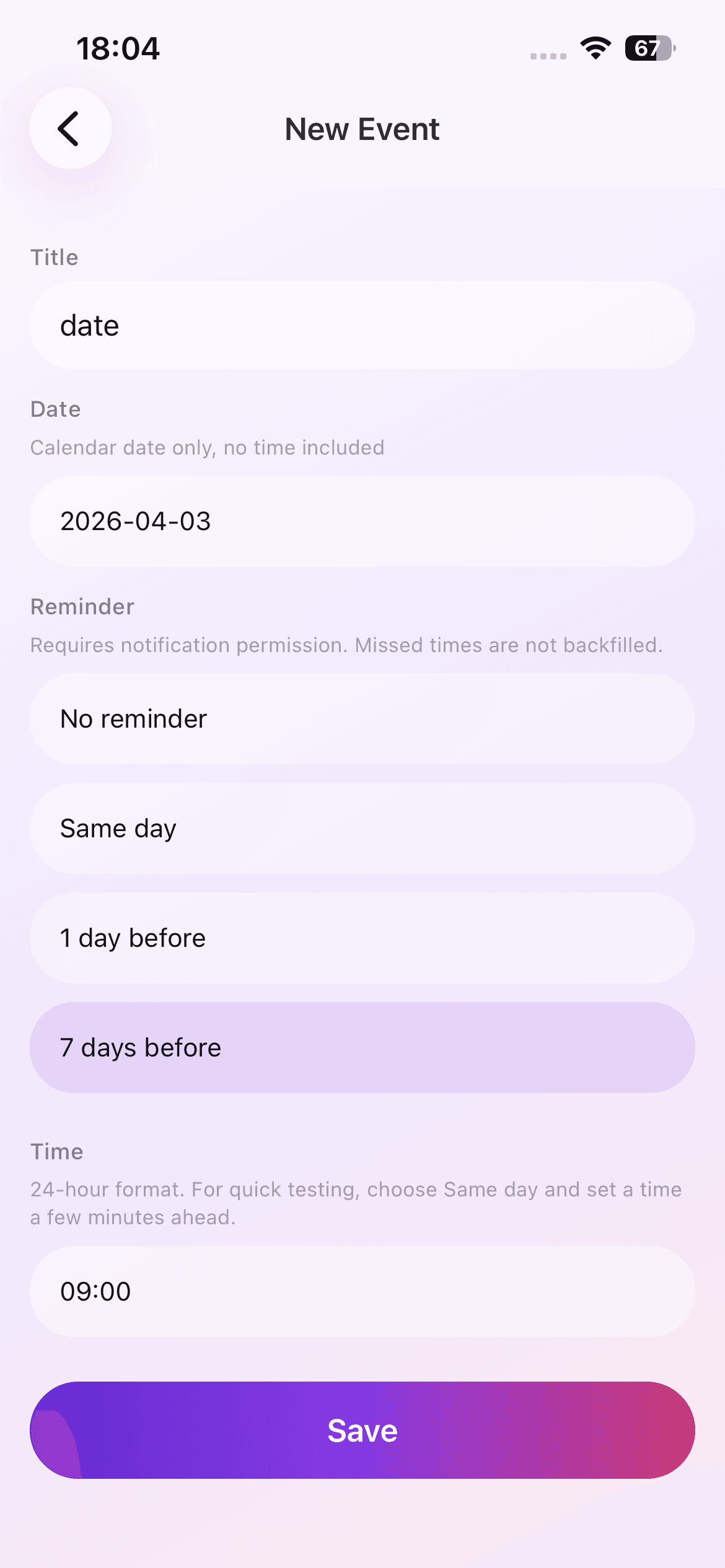
This is useful for exams, job applications, course submissions, license renewals, project milestones, and other fixed dates where preparation happens over several days.
Create One Clear Endpoint
Add the official exam or deadline date, not an approximate date. Give the event a title that identifies the outcome, such as 'Biology final' or 'Portfolio submission'. If the deadline includes a time of day, keep that detail in your primary project system because Date Countdown Lite is a day-based countdown utility.
Open the saved event and confirm that the remaining-day count matches your expectation. A quick check now avoids planning around the wrong date later.
Connect the Countdown to a Small Plan
Use the remaining days to define a few milestones outside the app. For example, an eighteen-day exam countdown might mean one week for coverage, one week for practice, and the final days for review. A ten-day application countdown might reserve separate time for drafting, feedback, and submission.
The app is not a task manager, which is useful here. It keeps the deadline visible while your notes or project tool handles the detailed work.
Choose One Reminder That Changes Behavior
Seven days before is useful for a final preparation phase. One day before can trigger packing, uploading, or confirming requirements. Same-day reminders can be a final check, but they should not be the first time the deadline becomes visible.
Set the notification at a time when you can take the intended action. If notification permission is disabled, the countdown still remains available in the event list.
Update the Source of Truth
If an exam is rescheduled or a deadline is extended, edit the existing event immediately. Delete cancelled deadlines so the list does not create false urgency.
The event data stays locally on the iPhone in the current version. There is no account or cloud sync, so make sure the date also exists in any institutional or team system that other people rely on.
A Deadline Setup Checklist
Confirm the official source, exact calendar date, timezone or submission cutoff if relevant, and the consequence of being late. Store time-specific requirements in the official calendar or project record, then use the day countdown as the broader planning signal.
When the remaining days cross a meaningful threshold, review the work rather than merely observing the number. A countdown creates value only when it changes preparation, prioritization, or the decision to ask for help early.