How to Choose Same-Day, 1-Day, or 7-Day Countdown Reminders on iPhone
Choose between same-day, one-day, and seven-day iPhone countdown reminders by matching the alert timing to the action an upcoming event requires.
Try Date Countdown Lite on iPhone
Create an important date, choose a local reminder lead time, and keep the days remaining visible on your iPhone.
An iPhone countdown reminder is only useful when it arrives early enough to support the next action, but not so early that it becomes background noise.
Start With the Decision, Not the Date
The event date tells you when something happens. The reminder lead time should reflect what you need to do before it happens. A birthday message, an exam, and a flight departure can all sit on the same calendar, yet each creates a different preparation window.
Before choosing a reminder, write the action in plain language: send a message, pack documents, review notes, or confirm a payment. That small step makes the timing choice easier and keeps an event reminder from becoming a vague alert.
When a Same-Day Reminder Fits
A same-day reminder works for actions that are brief and do not require advance preparation. It can be useful for sending a birthday greeting, checking an event detail, or completing a small task that already has everything it needs.
Choose a custom time when you are likely to have enough attention to act. An early notification is not automatically better if it arrives during a routine when you cannot respond.
When One Day Before Is More Useful
A one-day-before reminder creates room for a short preparation step. It can support packing exam materials, checking a departure time, preparing a document, or making a final confirmation.
This lead time is often a practical middle ground: close enough that the event feels real, but early enough to correct a small omission. Keep the event title specific so the alert still makes sense when it appears outside the app.
When Seven Days Before Makes Sense
A seven-day reminder is better for events that affect the coming week. Travel, an application deadline, a bill date, or a personal milestone may need several smaller actions rather than one last-minute response.
Use the reminder as a planning trigger, then keep the detailed checklist in the tool that already holds your tasks. Date Countdown Lite is designed to make the date and days remaining visible, not to replace a project manager.
Match the Countdown and Reminder
The countdown provides ongoing awareness; the notification provides one prompt. Review both when a date changes. If a deadline moves, edit the event instead of creating a duplicate, then confirm that the reminder timing still supports the real action.
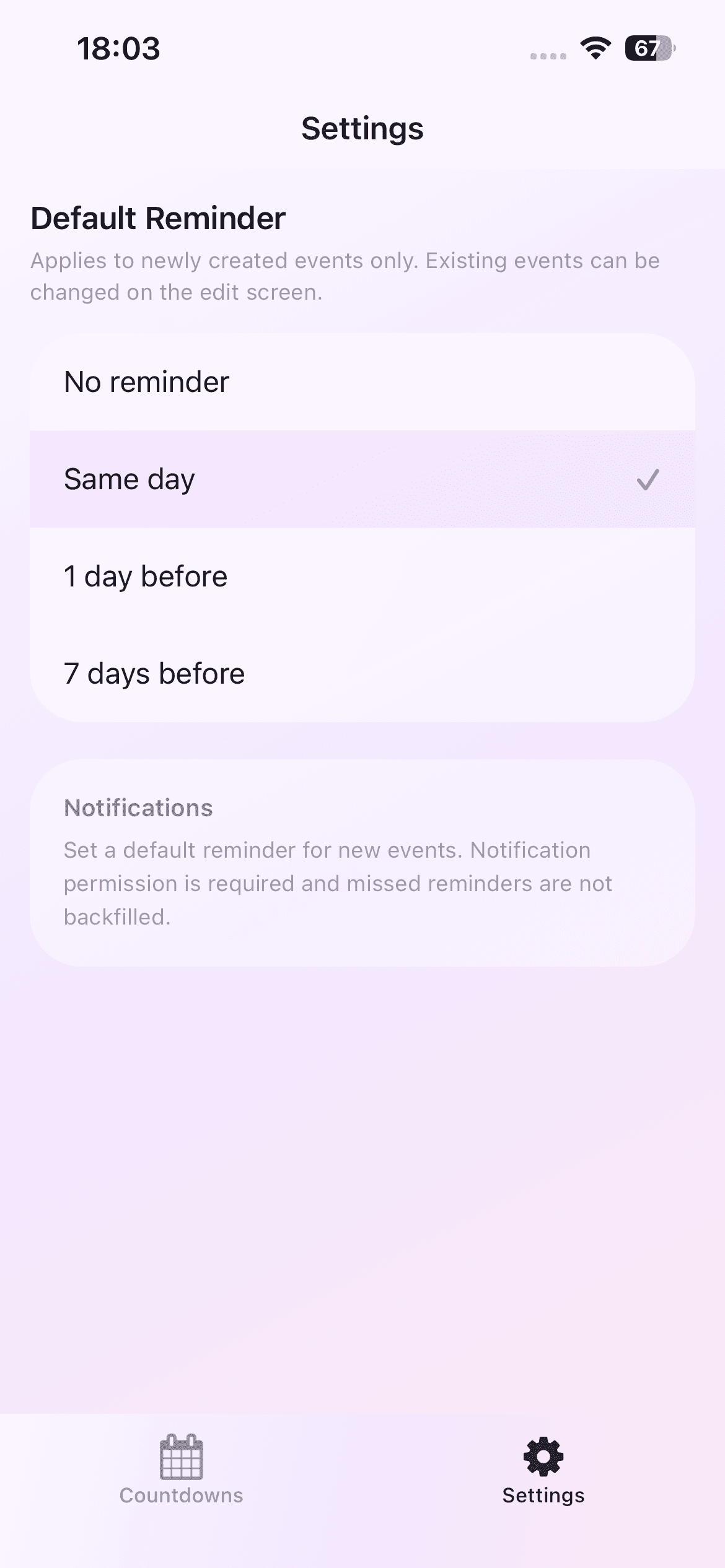
Date Countdown Lite supports local reminders for the same day, one day before, or seven days before, with a custom reminder time. Event data stays locally on the iPhone, and the current version has no account or cloud sync.
Know the Notification Limit
Local notifications depend on iPhone permission and system delivery conditions. They are useful prompts, not a guarantee that an event cannot be missed. Check that notifications are enabled, the selected time has not passed, and the event date is correct.
For high-consequence deadlines, keep the official source and any required calendar or task-system backup. The countdown can improve visibility, but it should not be the only control for something irreversible.