Birthday and Anniversary Countdown Reminders on iPhone
Create focused birthday and anniversary countdowns on iPhone, choose useful local reminder timing, and keep personal dates visible without an account.
Try Date Countdown Lite on iPhone
Create an important date, see the number of days remaining, and optionally schedule a local reminder on your iPhone.
A birthday reminder on the day itself can be too late if the real task is choosing a gift, planning a call, or organizing a celebration.
Why a Countdown Helps More Than a Same-Day Alert
Personal dates often need two kinds of memory. You want quiet awareness while the date is approaching, and a direct reminder when it is time to act. A countdown handles the first job by showing the number of days remaining whenever you open the list.
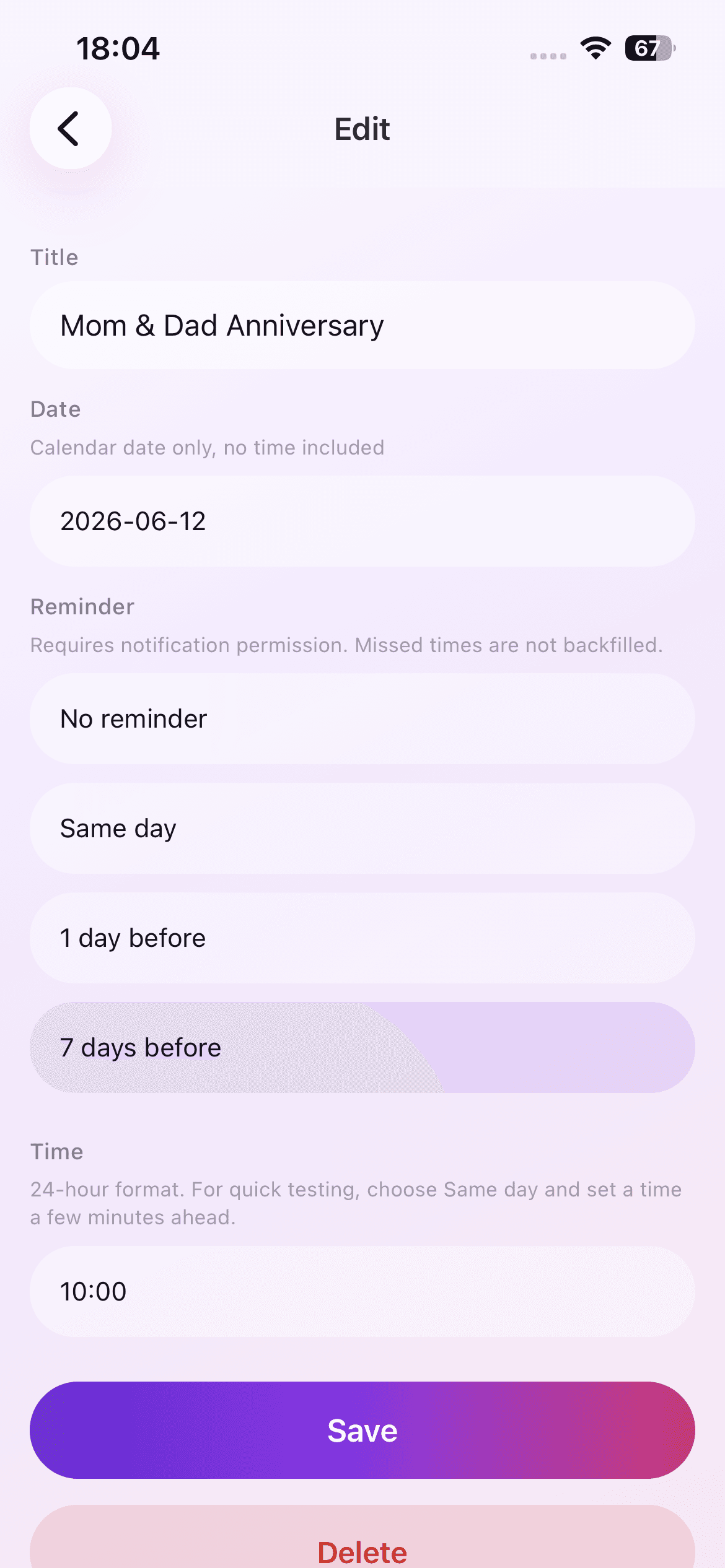
That extra context is useful for occasions that involve preparation. Seeing that an anniversary is twelve days away gives you a different decision window than receiving a notification that morning.
Name the Occasion Clearly
Use a title you can recognize instantly, such as 'Maya birthday' or 'Wedding anniversary'. Keep private details out of the title if they are not needed. The current app stores event content locally, but a concise title is still easier to scan.
Choose the correct year and date, then verify the days-remaining value. For annual occasions, create the next occurrence you want to prepare for and update it after the date passes.
Pick Reminder Timing Based on the Real Task
Use seven days before when you may need to buy something, make a reservation, or coordinate with other people. One day before works for a message, call, or small preparation. Same-day reminders fit occasions where the action itself happens on that date.
Select a reminder time when you are likely to be able to act. A morning notification may help with planning; an evening notification can be better for a next-day occasion.
Review and Adjust Instead of Duplicating
When plans change, edit the existing event rather than adding another copy. A clean list prevents two reminders for the same occasion and keeps the countdown trustworthy.
After the occasion, either update it to the next date or delete it if it was one-time. Date Countdown Lite does not automatically create recurring calendar events, so this review step keeps the lightweight workflow accurate.
A Private, Device-Based Routine
The current version has no account system, cloud sync, or server-side event storage. Event titles, dates, and reminder settings stay on the device. Local notifications are scheduled only when you enable them.
That makes the app suitable for a small personal list when you prefer a focused countdown instead of another shared planning system.
A Small Occasion Checklist
Before saving, verify the person's name, the upcoming occurrence of the date, and the lead time the occasion truly needs. Decide whether the next action is buying, booking, writing, calling, or simply remembering. Then choose the reminder rule that leaves enough time for that action.
If several family dates cluster together, keep titles consistent so the list remains easy to scan. The countdown should reduce social memory pressure, not create a second complicated contact database.