A Private Baby Vocabulary Journal: What Stays on Your iPhone
Learn what BabyTracker keeps local, what optional AI can process, why no account or cloud sync is required, and how parents control records.
Try BabyTracker: Words & Food on iPhone
Keep a structured first-words journal locally on iPhone, with optional AI data use controlled by consent.
A baby vocabulary journal may contain a nickname, age, daily scenes, favorite expressions, notes, and a growing history of family observations. Even when the information is not medical, parents should be able to tell what remains on the iPhone and what an optional online feature needs to process.
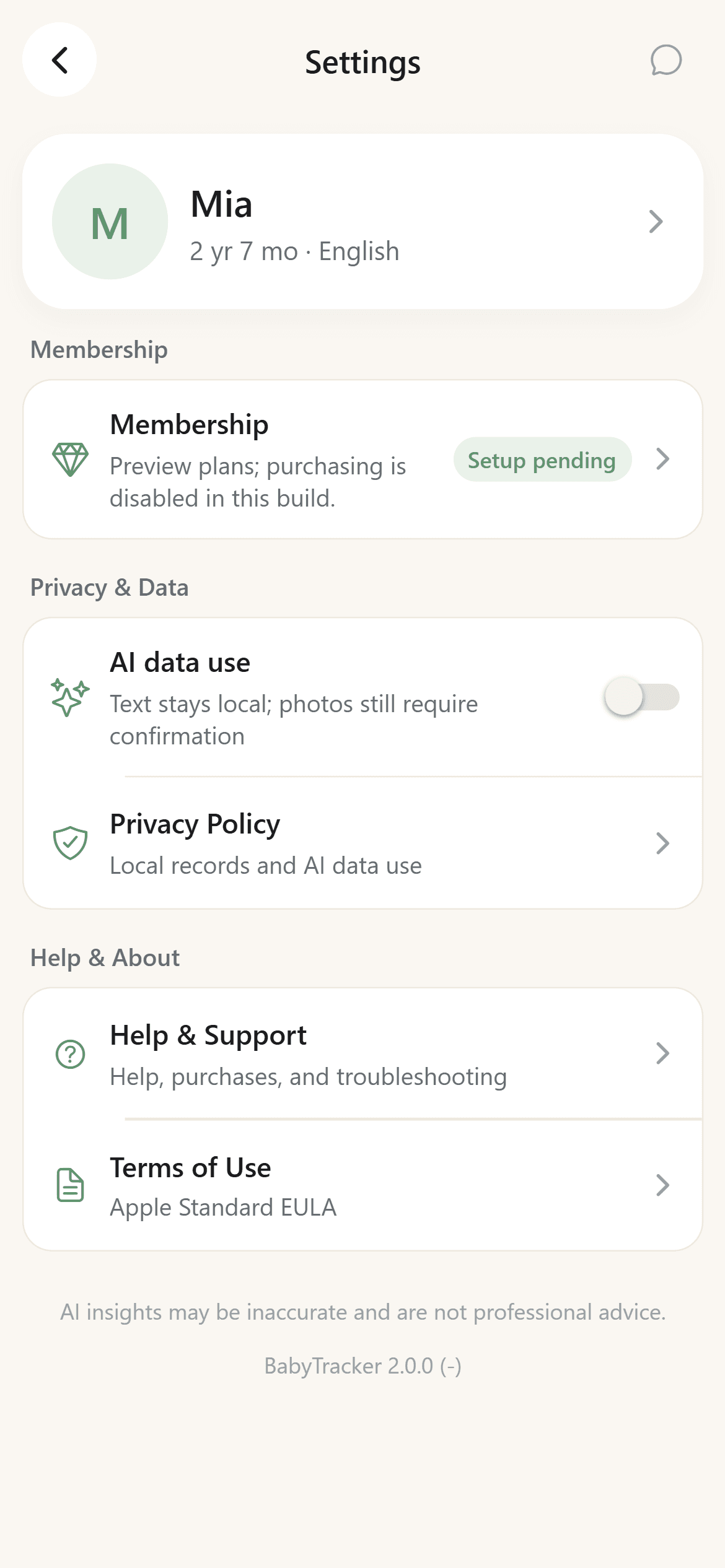
BabyTracker: Words & Food (formerly Baby Word Radar) follows a local-first journal model. Language records, profile details, settings, and conversation history are stored on the iPhone by default. The app does not require an account and does not provide cloud sync. Optional AI features have a separate consent and data-use boundary rather than uploading the whole journal.
What the App Stores Locally
The local record can include:
- A baby nickname and age or birth-date information.
- A primary language preference and optional avatar.
- Words or expressions entered by the parent.
- Stages such as understands, says, uses, or sentences.
- Categories, scenes, dates, notes, and favorite state.
- Local settings, questions, answers, and checklist progress.
These details support the word library, filters, growth summaries, and coaching views. They are not copied into a developer-controlled account database for cloud synchronization.
No Account and No Cloud Sync
BabyTracker does not ask the parent to create a login. There is no parent account, child account, or shared cloud library.
That makes setup simpler and keeps the journal tied to the device. It also creates an important tradeoff: local-only data is not automatically available on a second phone and is not restored from an app account if the device is replaced.
Parents should choose the model that fits them. Some families value sharing and multi-device recovery. Others prefer a focused journal without an account or cloud record. Local-first is a product choice, not a claim that every family should use the same system.
What Optional AI Processing Can Send
AI is optional. After a parent enables AI data use, a compact summary of relevant confirmed records may be sent for a once-daily Today insight. A chat started by the parent can send the minimum relevant summary and the question. These requests do not require uploading the complete local record library for cloud sync.
A food photo is sent only when the parent selects or captures an image and separately confirms the recognition request. The result is an editable draft and should be reviewed before it becomes a saved family record. AI output can be incomplete or inaccurate.
The protected service may also process limited operational metadata such as a random installation identifier, scenario, quota window, request status, model identifier, token or cost estimate, and latency. Apple handles subscription purchases, while RevenueCat synchronizes entitlement status without giving the app full payment-card details.
Camera and Photo Access Are Action Based
Photo-library access can be used when a parent chooses a local avatar or selects a food image. Camera access supports a parent-initiated food-photo draft. Neither permission is needed to type a word into the local vocabulary journal.
The app should request access close to the feature that needs it. Microphone, contacts, location, and Health data are outside the core word-recording flow. Permission behavior should be checked again after an app update because features can change over time.
No Advertising Tracking in the Current Version
The app does not include an advertising SDK or third-party analytics SDK and does not require an advertising profile to use the journal. Its purpose is to organize parent-confirmed family records and provide optional, consented assistance.
This does not mean the iPhone itself never processes operational information. iOS and the App Store have their own platform behavior. The claim here is limited to the app's current product design and published privacy boundary.
How to Remove Local Records
Parents can edit or delete individual records in the app. Uninstalling the app removes local app data according to iOS storage behavior.
Because there is no Baby Word Radar cloud account, there is no separate synchronized word library to delete. Submitted feedback or limited server-side installation, entitlement, and quota metadata can be handled through the public support route; verification may be needed to avoid removing another installation's data.
Before clearing or uninstalling, remember that local-only records may not be recoverable. Review the journal first if it contains memories you want to keep.
Privacy Does Not Turn a Journal into a Diagnosis Tool
Keeping records local does not change their purpose. Baby Word Radar is designed for parental observation and everyday language enrichment. It does not provide medical diagnosis, developmental screening, treatment advice, therapy, or clinical scoring.
If you have concerns about speech, hearing, language, or development, consult a pediatrician or qualified professional. The journal can help you remember examples for that conversation, but it should not make the decision for you.
Check the Public Pages When the App Changes
Privacy boundaries can change when an app adds accounts, sync, analytics, AI, payment, or sharing features. The public privacy and support pages should describe the current product boundary and be reviewed before using a newly added feature.
BabyTracker's official public links are included below this guide so parents can review the latest published details before deciding what to record.
The Short Version
BabyTracker keeps the baby profile, language records, stages, categories, scenes, settings, and conversation history locally on the iPhone by default. It requires no account, offers no cloud sync, and includes no advertising or third-party analytics SDK.
Optional AI sends only the relevant summary, question, or separately confirmed food photo needed for the requested result, plus limited operational metadata. That boundary keeps the journal local-first while making the online parts visible and reviewable.