How to Track AI and SaaS Renewal Costs on iPhone
Build a clear iPhone list of AI and SaaS renewals, monthly and annual estimates, reminder dates, and upcoming costs using manual local records.
Try AI Subscription Planner on iPhone
Manually record AI and SaaS renewals, compare monthly and annual estimates, and see upcoming charges on your iPhone.
A few small AI and SaaS subscriptions can become a meaningful annual tool cost long before any single charge feels large.
Why Tool Costs Become Hard to See
AI assistants, developer tools, design services, domains, hosting, and workspace apps often renew on different dates and cycles. Some are monthly, some annual, and some use cards that require balance planning.
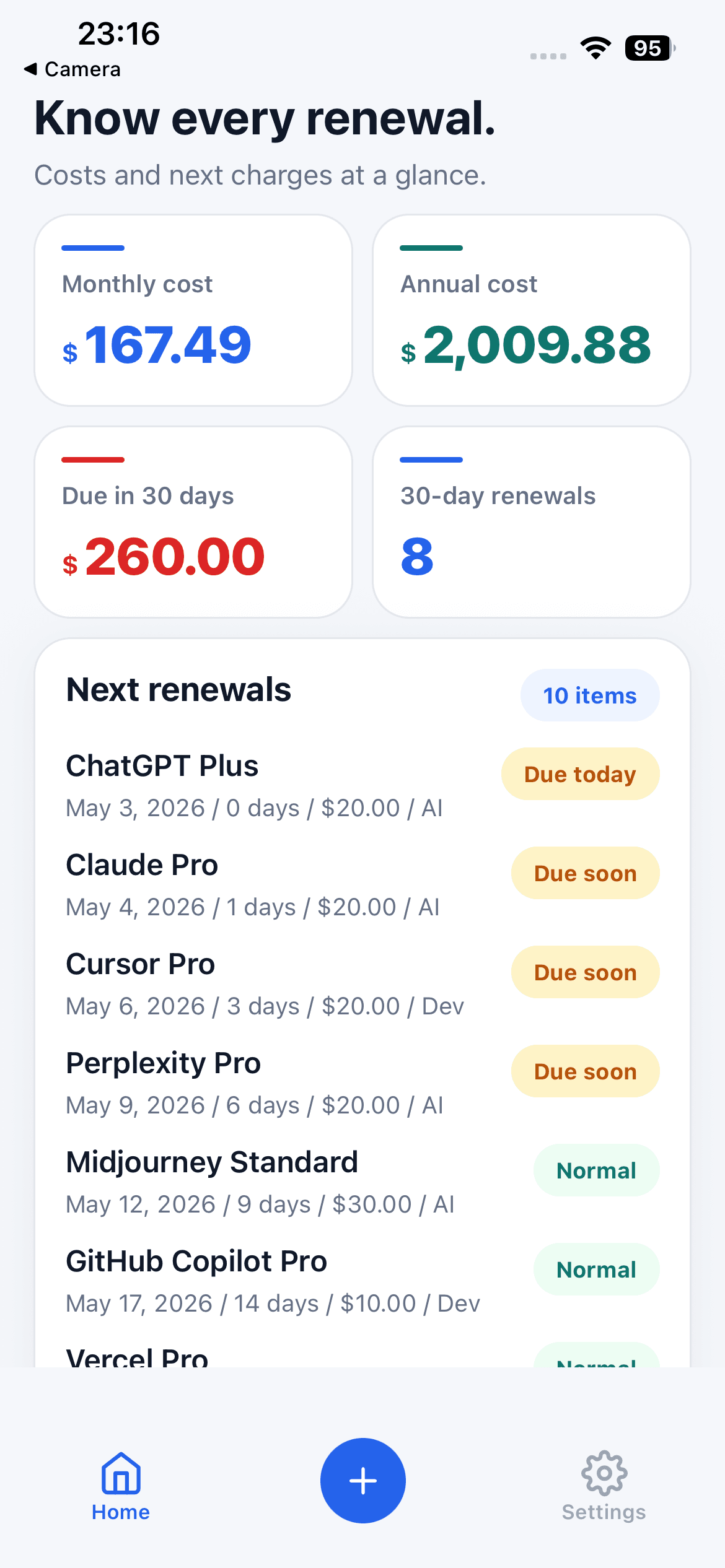
A bank statement can show past charges, but it may not present the next renewal date or annualized plan in the way you need. A small manual list can make the upcoming commitments easier to review.
Record the Minimum Useful Fields
For each tool, enter a recognizable name, amount, billing cycle, next renewal date, category, reminder choice, and optional note. Use the amount and currency exactly as you understand them from the vendor.
AI Subscription Planner does not connect to banks, import statements, scan invoices, or calculate live exchange rates. Its totals are estimates based on the values you enter manually.
Read Monthly and Annual Estimates Together
The dashboard summarizes a monthly estimate and an annualized estimate. Looking at both prevents two common blind spots: underestimating annual plans because they are not charged this month, and underestimating monthly tools because each individual charge feels small.
Use the totals for planning and review, not as tax, bookkeeping, or audited accounting records.
Use the Next 30 Days for Action
The amount due in the next 30 days and the ordered renewal list make the nearest charges visible. Review whether each tool is still used, whether the billing details are current, and whether a cancellation or renewal decision is needed.
A reminder can prompt that review before the date. It does not cancel, renew, or pay a subscription for you.
Keep the List Accurate
Update an item when a price, billing cycle, or renewal date changes. Remove services that are actually cancelled. When a renewal is completed, move the next date forward so the dashboard remains useful.
Planner records stay on the iPhone with no account or cloud sync in the current version. The free plan supports up to three items; Pro Monthly unlocks unlimited items through Apple In-App Purchase.
A Monthly Maintenance Checklist
Once a month, compare the local list with vendor billing pages or App Store subscription settings. Confirm the amount, currency, billing cycle, and next date; remove cancelled tools; and add new services before their first renewal becomes invisible.
Also review overlap. Two tools may solve the same job, or a paid feature may now exist in another product you already use. The dashboard becomes more valuable when it supports decisions, not when it merely accumulates names.