How to See Your Next 30 Days of Subscription Renewals on iPhone
Create a focused 30-day subscription renewal view on iPhone, prioritize upcoming AI and SaaS charges, and add reminders before decision dates.
Try AI Subscription Planner on iPhone
Manually record AI and SaaS renewals, compare monthly and annual estimates, and see upcoming charges on your iPhone.
A complete subscription inventory can still fail if it does not reveal which charge needs attention next.
Why Use a Rolling 30-Day Window
Thirty days is long enough to include many monthly renewals and short enough to stay actionable. It creates time to verify the price, check usage, update a payment method, cancel an unused service, or prepare for a larger annual charge.
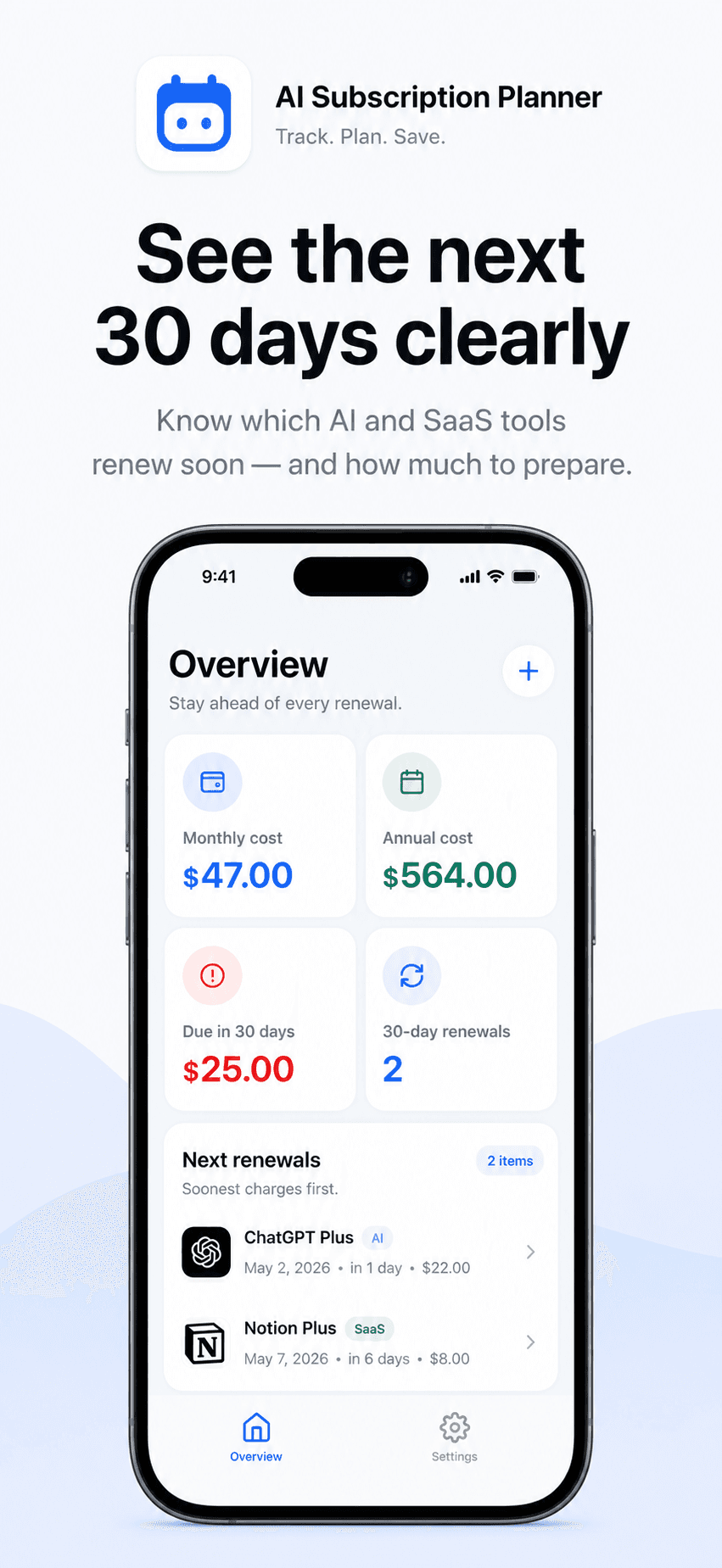
The window should roll forward continuously rather than becoming a one-time monthly spreadsheet exercise.
Enter the Real Next Renewal Date
The quality of the view depends on the dates you enter. Confirm the next charge date with the vendor or App Store subscription settings. Add the amount and billing cycle as planning context.
AI Subscription Planner is manual. It does not read bank transactions, email receipts, invoices, or App Store subscriptions automatically.
Read Soonest Charges First
The dashboard shows the estimated amount due in the next 30 days and lists upcoming renewals in order. Start with due-today and due-soon items, then review the rest of the window.
For each item, decide whether it is a simple balance preparation task or a product decision. A tool that no longer earns its place needs review before the renewal date, not afterward.
Add a Reminder with Enough Decision Time
Same-day reminders may be enough for balance awareness, but cancellation or plan changes often need more time. Use a three-day or seven-day reminder when you expect to compare alternatives, export data, or check vendor terms.
The reminder is local and optional. It does not perform a cancellation, payment, or renewal.
Refresh the Window After Every Decision
When a service renews, update its next date. When it is cancelled, remove it. When the price changes, update the amount. A stale entry can distort both the 30-day amount and the monthly or annual estimates.
Treat the dashboard as a personal planning view, not an accounting ledger. Verify actual charges and terms with the source provider.
A 30-Day Review Checklist
For every item in the window, verify the amount and date, label the decision as keep, review, cancel, or prepare funds, and complete any vendor action before its cutoff. Add a short note only when it helps the next review, such as where cancellation settings are located.
Repeat the review weekly if the tool stack changes quickly. The rolling window works because it stays current; an impressive dashboard with old renewal dates creates false confidence.