Monthly vs Annual AI Subscriptions: Build a Clear Cost Plan
Compare monthly and annual AI subscription commitments using normalized cost estimates, renewal timing, usage review, and a simple local iPhone planner.
Try AI Subscription Planner on iPhone
Manually record AI and SaaS renewals, compare monthly and annual estimates, and see upcoming charges on your iPhone.
Monthly and annual prices are difficult to compare when one feels small today and the other hides behind a distant renewal date.
Compare the Same Time Horizon
A monthly price and an annual price are not directly comparable until they are placed on the same time horizon. Multiply a stable monthly charge by twelve for a rough annual view, or divide an annual charge by twelve for a rough monthly equivalent.
These are planning estimates. Taxes, discounts, currency conversion, price changes, and usage-based charges can make the actual amount different.
Add Renewal Timing to the Decision
Price is only one dimension. An annual plan creates a larger single commitment and a longer review interval. A monthly plan may cost more over time but offers more frequent exit points.
Record the real next renewal date so the decision is attached to a deadline. A good comparison made after an automatic renewal is less useful than a simple review done beforehand.
Review Actual Usage
Ask what the tool changed in your workflow during the last cycle. Did it save time, unlock revenue, reduce risk, or replace another tool? Is the feature you pay for still used? Could a lower tier or free alternative cover the current need?
This keeps the decision grounded in value rather than in a familiar brand name or a temporary discount.
Use a Planner to Keep the Comparison Visible
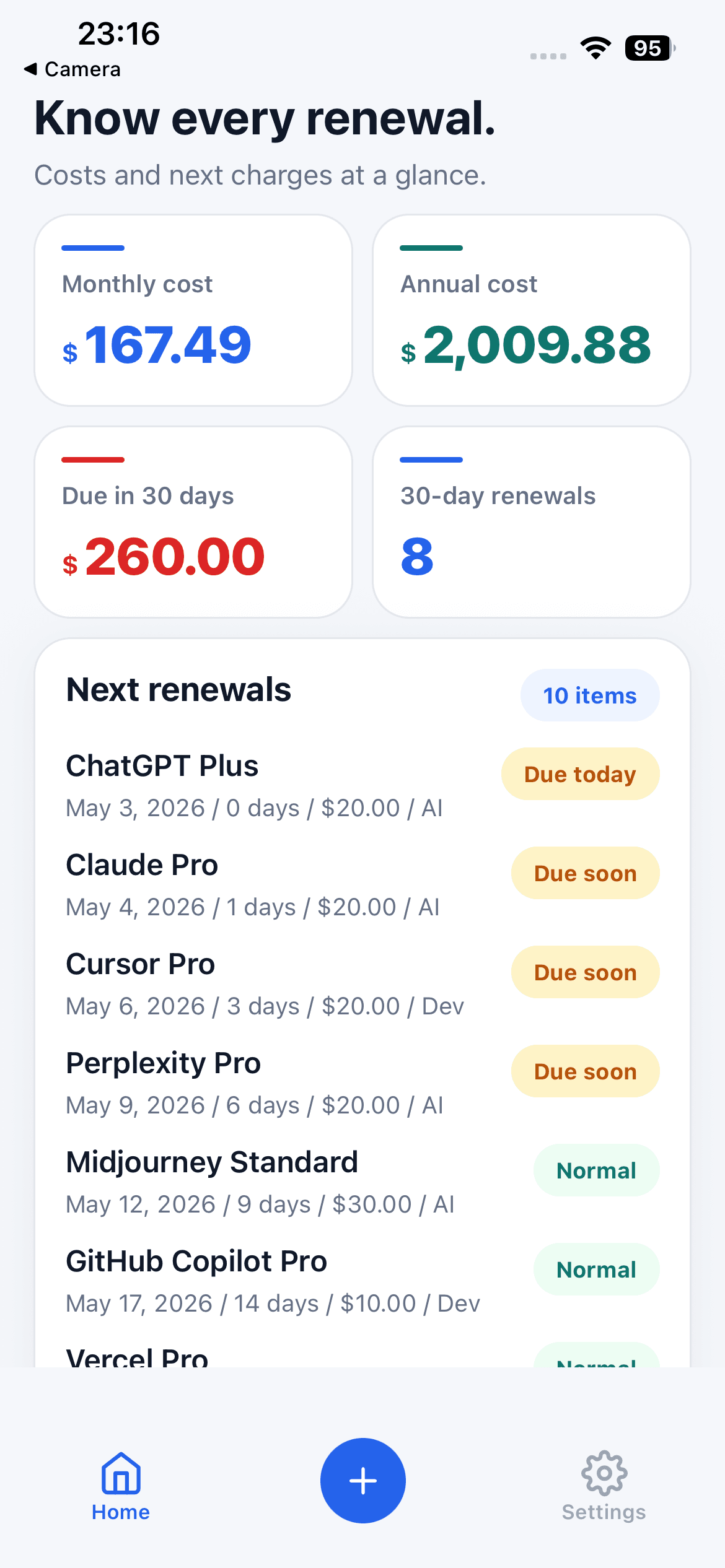
AI Subscription Planner lets you record the billing cycle and amount for each tool, then view monthly and annualized totals together. The next-30-day list adds urgency to items that need a decision soon.
The app does not recommend a plan or make a purchase decision. It provides a local view of manually entered commitments.
Know the Financial Boundary
Use the estimates as a personal planning aid, not as financial, tax, accounting, or bookkeeping advice. The app does not connect to banks, validate invoices, or calculate live exchange rates.
Verify prices and cancellation terms with each vendor before acting. Update the local record when the real plan changes so later comparisons remain useful.
A Fair Comparison Checklist
Normalize both prices to monthly and annual estimates, identify the next decision date, check refund and cancellation terms, and review how consistently the tool was used. Include taxes or currency effects separately when they matter because the planner does not calculate them automatically.
Avoid treating the lowest normalized price as the automatic winner. Commitment length, feature access, switching cost, and the option to stop paying can matter as much as the headline discount.