How to Audit Your AI Tool Stack Before the Next Renewal
Audit AI and SaaS subscriptions before renewal by reviewing next-30-day charges, monthly and annualized costs, workflow overlap, and manual records.
Try AI Subscription Planner on iPhone
Manually review upcoming AI and SaaS renewals, compare planning estimates, and keep the decision queue visible on your iPhone.
An AI subscription audit works best before the next renewal date, while there is still time to compare what each tool costs with how it actually fits your work.
Build One Renewal List First
Start by listing the AI and SaaS tools you currently pay for. Include the amount, billing cycle, next renewal date, category, reminder setting, and a short note about the job the tool is meant to do.
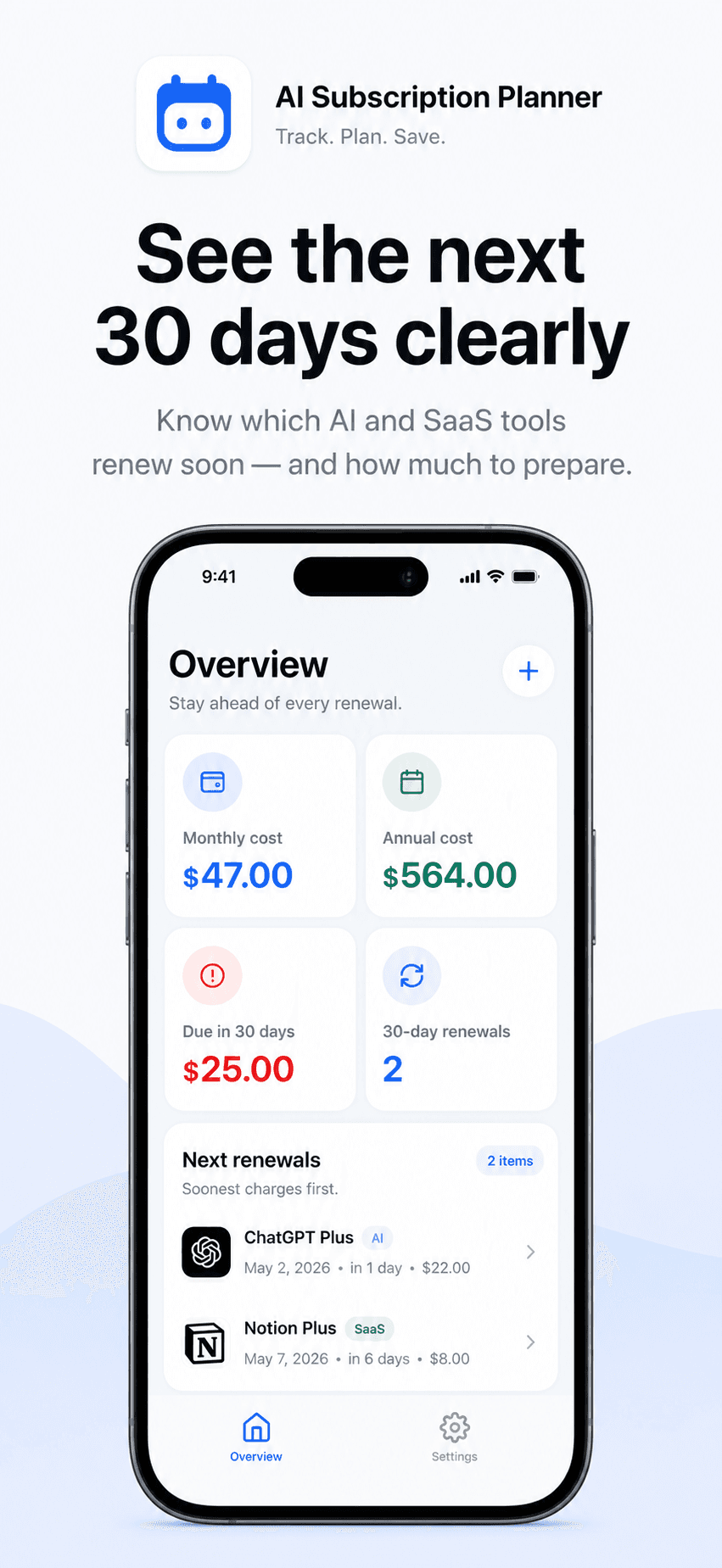
AI Subscription Planner uses manually entered records. It does not connect to banks, card accounts, or provider billing systems, so the list is only as current as the information you enter. Check each amount and renewal date against the official receipt or account page before making a decision.
Begin With the Next 30 Days
The next-30-days view turns a long subscription list into a smaller review queue. Start with renewals that are close enough to require action, then sort them by urgency and status.
For each item, ask three practical questions: Is this tool still used for a real workflow? Is another paid tool doing the same job? Would losing access interrupt work that matters? These questions are more useful than judging a subscription by price alone.
Compare Monthly and Annualized Cost
Monthly and annual billing cycles can make a tool stack difficult to scan. A monthly estimate helps with the near-term budget, while an annualized estimate makes different cycles easier to compare on one scale.
Annualized cost is a planning view, not a prediction of an exact future charge. Taxes, price changes, currency conversion, discounts, and mid-cycle changes can make the final amount different. Verify official billing details before canceling, renewing, or changing a plan.
Look for Overlap by Workflow
Group tools by the work they support: writing, coding, image generation, research, meetings, automation, or another clear category. Two subscriptions in the same category are not automatically redundant, but the overlap deserves a closer look.
Use the optional note to record the one reason a tool stays. A concrete note such as “client transcription twice a week” is easier to review later than a general label such as “useful AI tool.”
Turn the Audit Into a Decision Queue
Create a short queue for keep, review, or cancel outside the app. AI Subscription Planner tracks the renewal and reminder; it does not cancel subscriptions or modify provider accounts. Open the official provider page when you need to change a plan, and keep confirmation evidence there.
Set the reminder early enough to complete the provider's cancellation or change process. The best lead time depends on that provider's terms, not on a universal rule.
Keep the Planner Accurate
After a renewal, cancellation, or price change, update the manual record. Remove subscriptions that are no longer active and correct the next date for anything that continues. A small weekly check keeps the upcoming-cost view more useful than a large cleanup every few months.
The current version stores planner data locally on the iPhone and has no account or cloud sync. It is a personal planning utility, not an accounting or financial service, and it cannot guarantee savings or prevent every renewal. Its value is giving manually verified decisions a visible place before the next charge arrives.