Local Voice Capture With Optional AI Processing
Understand what FlashBrief stores on iPhone, when selected audio leaves the device, how optional AI processing works, and which controls remain yours.
App Store review update in progress
FlashBrief is updating its review build and privacy disclosures before resubmission. No public App Store listing is available yet. Product details, guides, support, and privacy information remain available here during review.
**Release status:** This guide describes the internal TestFlight build `1.0.0 (5)`. FlashBrief does not yet have a public App Store listing, and final App Review submission is not complete.
Local voice capture with optional AI processing separates two different actions: recording an idea on the iPhone and choosing whether selected audio should be sent for transcription or structured text generation.
What Stays on the iPhone
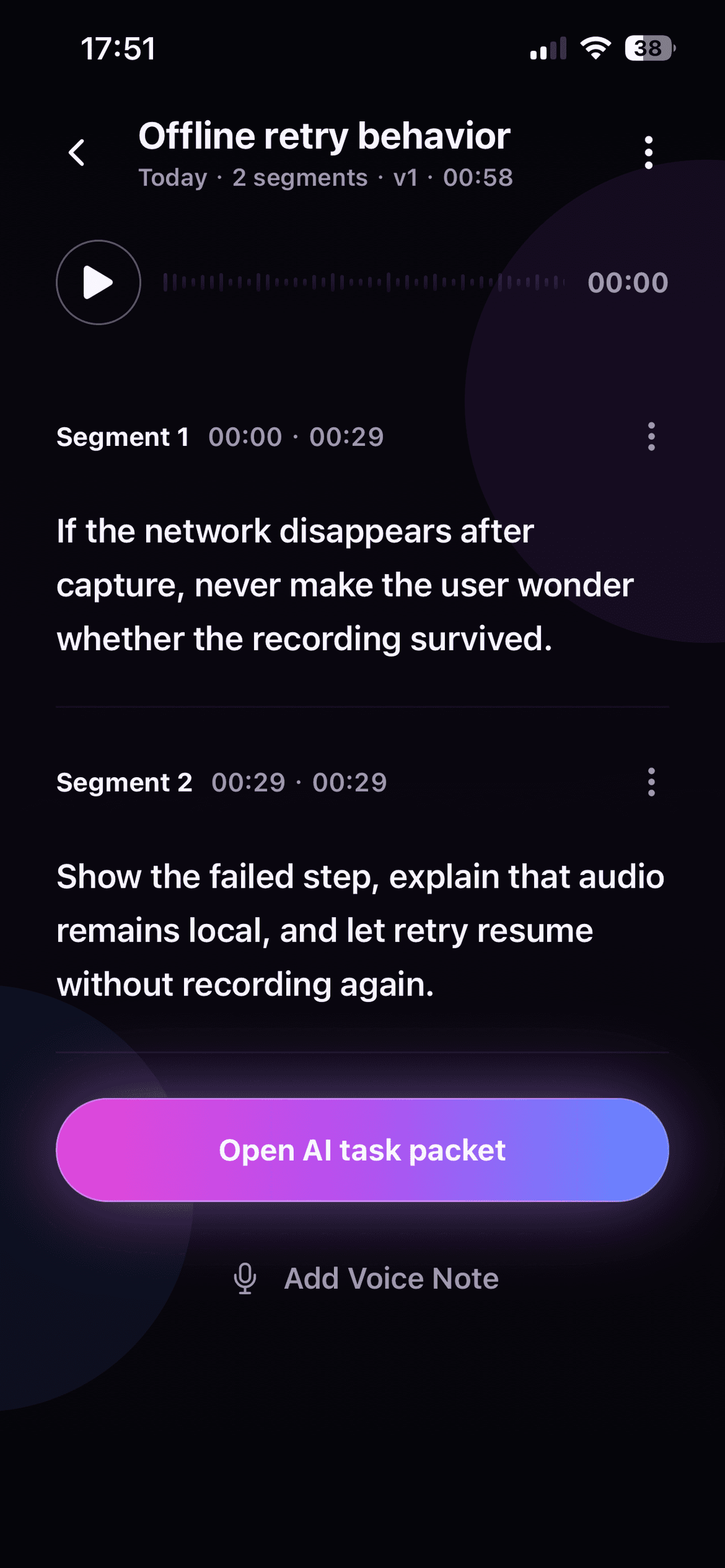
In the current version of FlashBrief, recordings, saved ideas, transcripts, and selected structured results are stored in the app on your device. The app does not require account registration and does not provide an account-based cloud library or cloud sync.
That local-first design means you can record, pause, resume, add segments, save an idea to Inbox, and review the original audio without automatically submitting the recording to an AI service. FlashBrief does not continuously listen in the background; microphone access is used when you start or continue a recording.
Local storage is still device storage. Removing an idea, clearing local records, or uninstalling the app can remove that local information. It is not a substitute for an external archive when a recording must be retained for a long time.
When Selected Audio Leaves the Device
Audio is sent through the FlashBrief processing service only when you request transcription or AI processing. Transcription services need the selected audio to produce text. If you then request an Idea Note or Dev Task Packet, selected transcript content is sent to the text-processing service needed to create that result.
Recording and local review do not require those uploads. This boundary lets you decide which ideas stay as recordings and which are worth processing. Online processing also requires a working network connection; a failed or canceled request does not turn the local recording into a successful result.
Review Transcripts and Generated Notes
Neither speech recognition nor AI structuring is guaranteed to be exact. Accents, noise, names, code terms, and incomplete sentences can change a transcript. Generated notes may omit context or introduce a relationship that was only implied.
Keep the original recording available while reviewing the editable transcript. Correct details that affect meaning, then compare any Quick, Standard, or Deep output with the source. Choose what to keep or copy rather than treating a generated result as an automatic replacement for the recording.
FlashBrief does not provide legal, medical, financial, employment, or other professional advice. Avoid recording confidential, regulated, or third-party information unless you have the right to process it and accept the risks of sending it to third-party processing services.
Understand Purchases and Usage Records
Apple processes in-app purchases. FlashBrief receives product and entitlement status needed to unlock eligible features, but it does not receive full payment card details. Successful transcription minutes and successful AI results are counted to enforce the usage policy shown in the app.
The service may keep limited operational records needed for quota checks, duplicate-request prevention, entitlement checks, and failure investigation. Those records are not an account-based copy of the local recording library. Purchase history is controlled through the App Store and is not erased by clearing local recordings.
Use the Controls That Match Your Intent
You can choose a local-only path by capturing and reviewing without requesting AI processing. If you do process a recording, you can edit the transcript, select the structured result you want, and decide whether to copy it as Markdown.
You can delete an individual idea or clear captured ideas and recordings from Settings. Microphone permission can be changed later in iPhone Settings. Feedback is submitted only after you tap Send; failed feedback drafts stay on the device for retry.
A Practical Privacy Check Before Recording
Before pressing record, ask whether the idea contains someone else's private details, credentials, unreleased business information, or material governed by a professional duty. If it does, remove or generalize those details. If the recording can remain local, do not request online processing merely for convenience.
This distinction—local capture first, optional processing second—keeps the decision visible. It does not remove every privacy risk, but it makes the point of data transfer understandable and controllable.